← /3/

Thread No.1011039

New launches split creator fees 50% to the poster and 50% to the launcher. No tripcode is needed to launch; poster claims require verified ownership.

Anonymous04/25/25(Fri)16:25:06 No.1011039
0
Welcome to /3/ - 3DCG, 4chan's board dedicated to 3D imagery and modeling.

If you're reading this, you probably got this linked to you because you posted a question that has already been asked many many times. Read ahead, and find your answer.

Scroll down for a useful FAQ and resource links
Anonymous04/25/25(Fri)16:29:16 No.1011040
FAQ

1.) "How do I get started in 3D?"
There are many ways to get started, the quickest way is to actually start with a 3D program. There are many to choose from, such as:
-3DS Max
-Cinema 4D
-Maya
-Softimage XSI
-Lightwave
-Blender 3D (Free!)

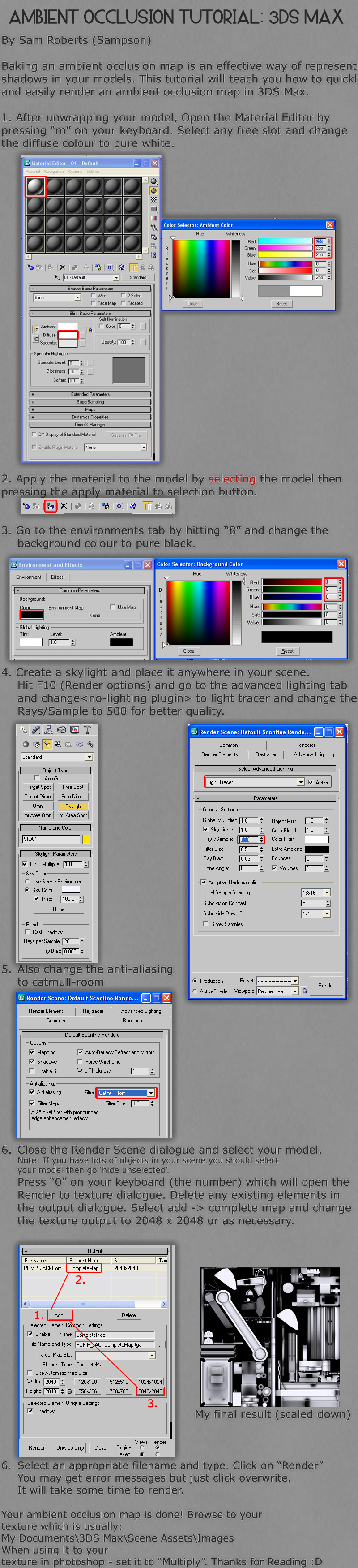
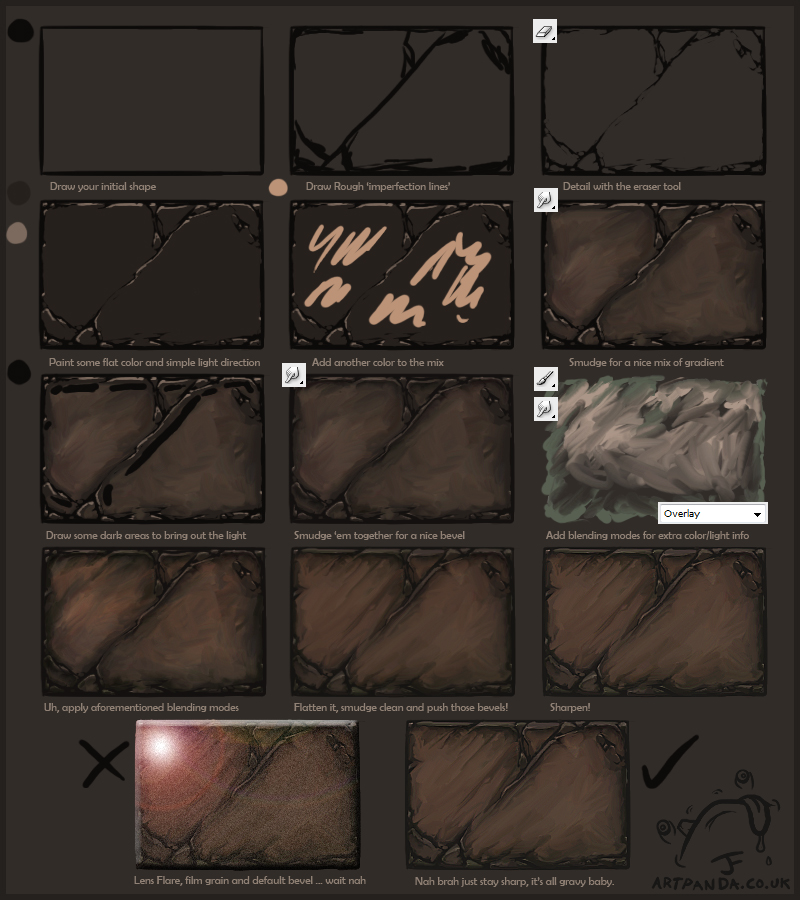
Once you obtain one the next step is to start with tutorials. There are many on the net, they range from text and image tutorials to video tutorials. You aren't going to find a tutorial for everything out there, but most will explain techniques that you need to adapt in order for you to achieve whatever final result you want.

2.) "Wow! That's a lot of programs! Which one is best? I heard ______ is best."
You heard wrong, there is no one program that is better than the rest, it has and always will be the skill level of the artist. Which program you choose is solely dependent on your own personal taste and which aspect of the 3D industry you want to be involved in.
Max and Maya are the most hyped and so therefore the most used, they have the most available documentation online. The interfaces have a steep learning curve, but there isn't any 3D program you can't learn if you take the time to use it and follow some tutorials. Go with a generalized package, not a specialist one.

3.) "Whoah, Generalized vs Specialized? How do I know?"

A generalised package like Maya, Max, Softimage are packages that let you model, render, animate, texture, and create dynamics all within the same application. They don't require third party plugins or applications to add another basic feature, like a renderer or animation tools.
However you can get plugins for these apps to enhance their features. There are several Specialized applications out there that cater to a specific skill.

Animation: Motion Builder, Messiah 3D.
Modeling: Modo, Wings3D, Silo 3D
CAD: Autocad, Sketchup, SolidWorks
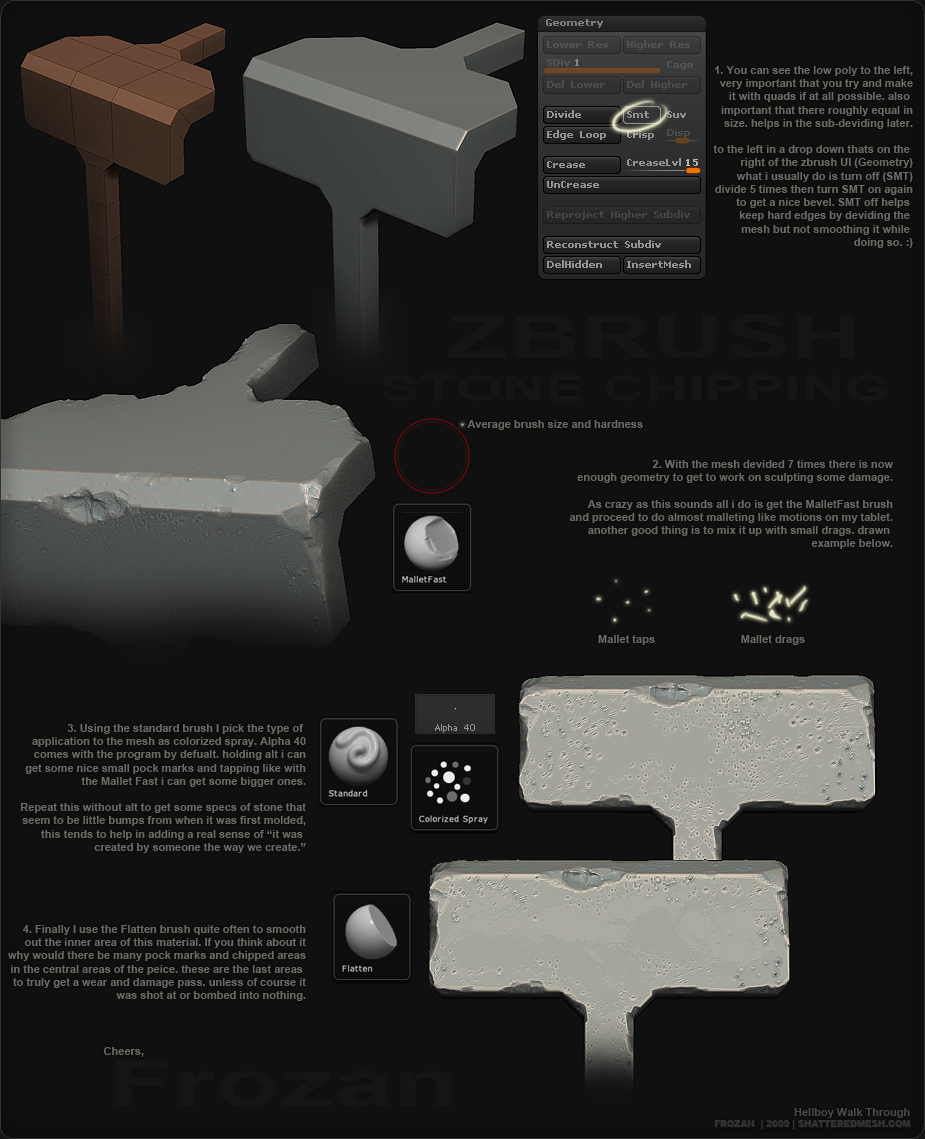
Detailing: Zbrush, Mudbox, 3DCoat

4.) "Ooooo Zbrush, I see so much awesome shit from that, I'm gonna start there!"
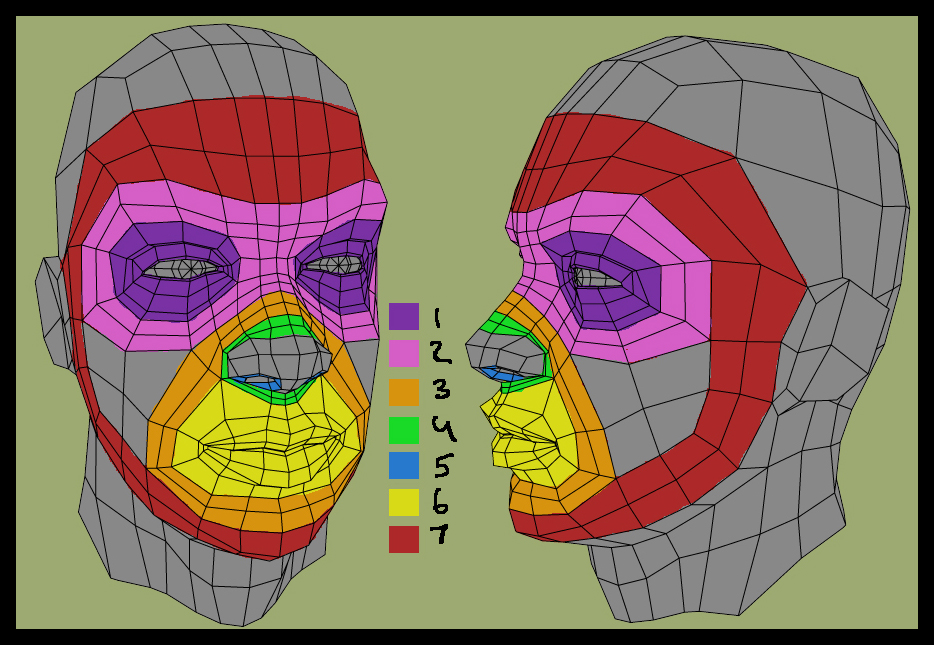
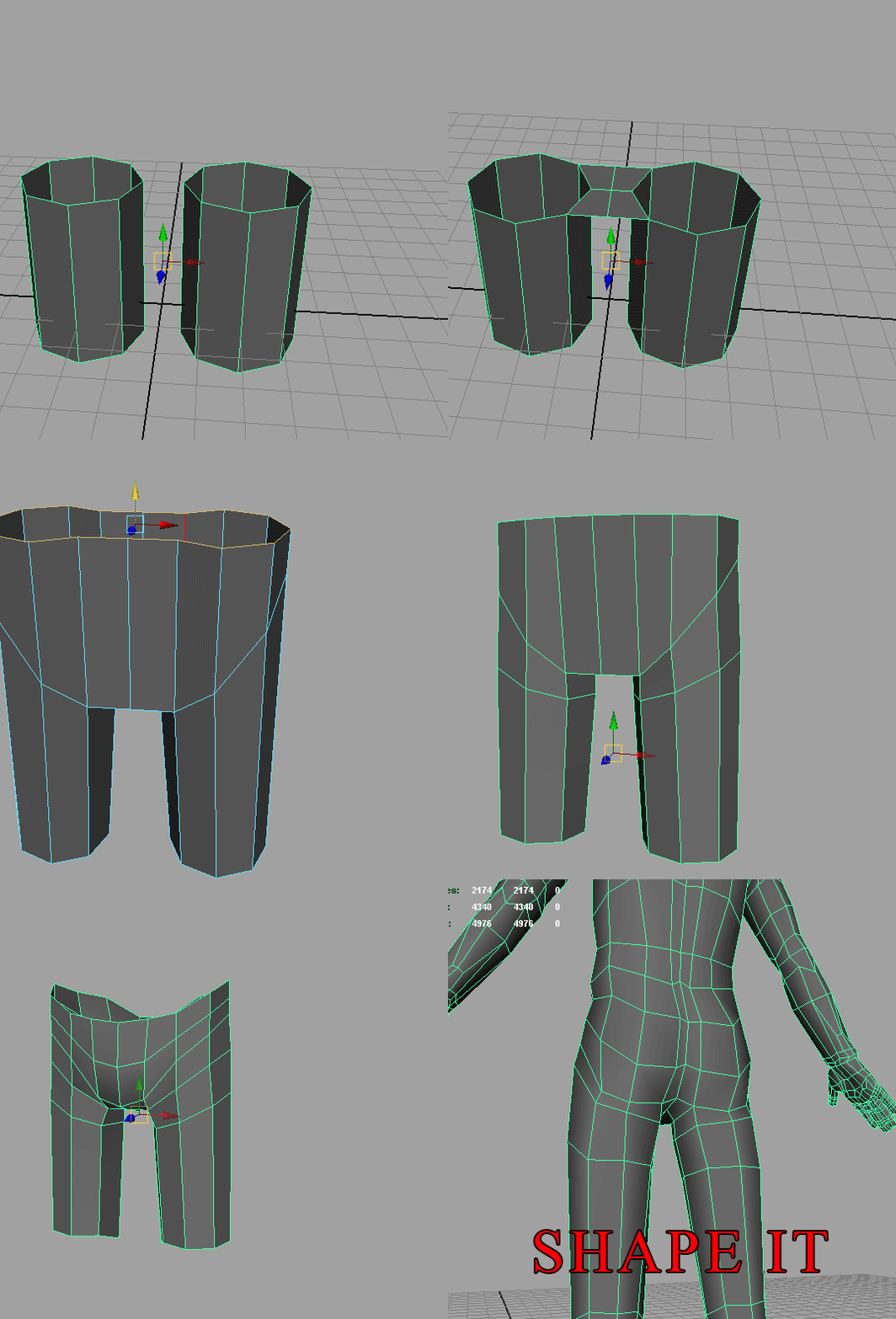
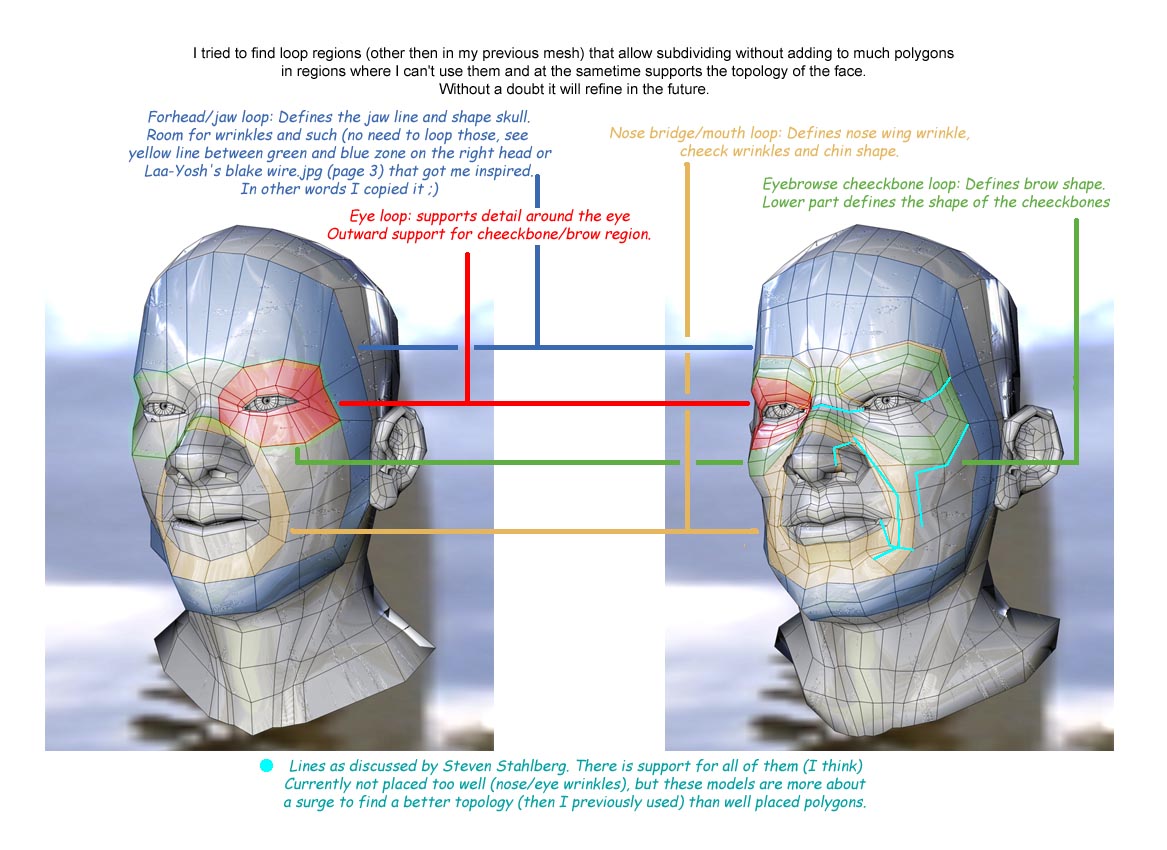
No, you're getting ahead of yourself. You should start learning about basic modeling and topology before jumping into Zbrush. Zbrush is a great program for advanced users to add detail to their existing models, or to prototype models quickly by sculpting them out.
It is not a good idea to get into Zbrush when you're not very familiar with general 3D concepts

5) "Ok, I see I'm not very good at this stuff, can you model ______ for me?"
No, anybody with any decent skill on this board does this work for a living or for some kind of gain. Some of those just starting out may pick up the project but don't expect Miets Meier level of work. You get what you pay for.

6.) "But it's too haaaaaaaaard, isn't there any easy button?"
No, like all things it takes time and effort to master a program, practice makes perfect and playing around with the interface will get the shortcuts ingrained into your muscle memory.

7.) "So which program is the easiest to learn?"
You shouldn't learn a program, you should learn techniques. When you master a technique the program becomes nothing more than a tool. As said before Max and Maya have the most documentation but you should look at learning how to model and the right techniques instead of 'what button does X'.
You can get UI information from the program's help files. F1 and Google are your friends.

8.) "So, what do studios look for when hiring if I don't know program ______ won't I get turned down?"
When a studio judges your demo reel and resume they have an order of priority.

1-Quality of Work
2-Versatility
3-Experience
4-Program skills

9.) "So studios don't care what program I use? Why do they care about versatility?"
Except for Animators who are pretty much exempt from most rules of 3D, most studios want people who can perform multiple tasks instead of just a specialised one. They want modelers who can also texture, they want riggers who can also do dynamics, they want lighters who can also texture. It's ok to be specialised in one area, but it doesn't hurt to be versatile, it will always keep you employed.

When a studio looks at your program skills they do often look to see if you have experience in their preferred in house package, but MANY times you're going to get a studio that has added their own tools and pipeline so it wouldn't matter what program you know as long as your skills are good. If you know techniques you can pretty much pickup any 3D package in a matter of days. Of course there are some that are hard set that you know program ________ but for the most part what package you know is not that important (yes even you Blender fags can get a job in a studio if you know good techniques.)

10.) "What about gaming?"
What about it?

11.) "How do I make my own game? How do I program shaders or a video game?"
This is a 3D board, not a programming board! Do you want to make 3D game assets or do you want to be a programmer?

12.) "Uhhhh...."
Exactly.
13.) If you want to get into game asset creating, your three primary focus of interests are:
-Modeling
-Texturing
-Animation

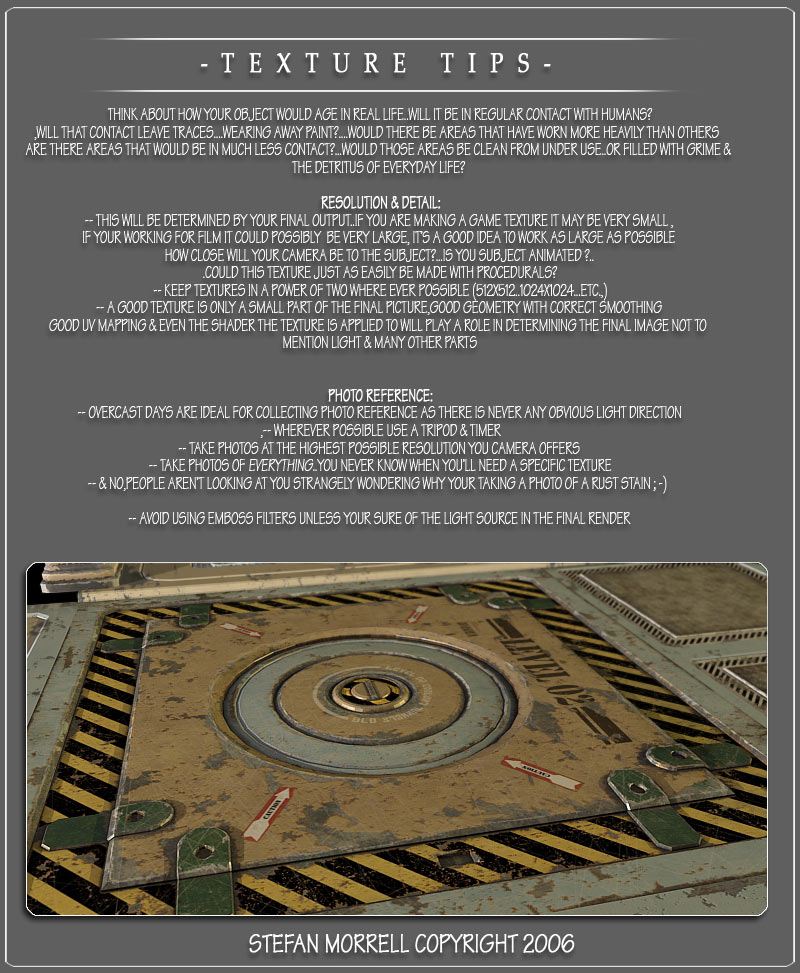
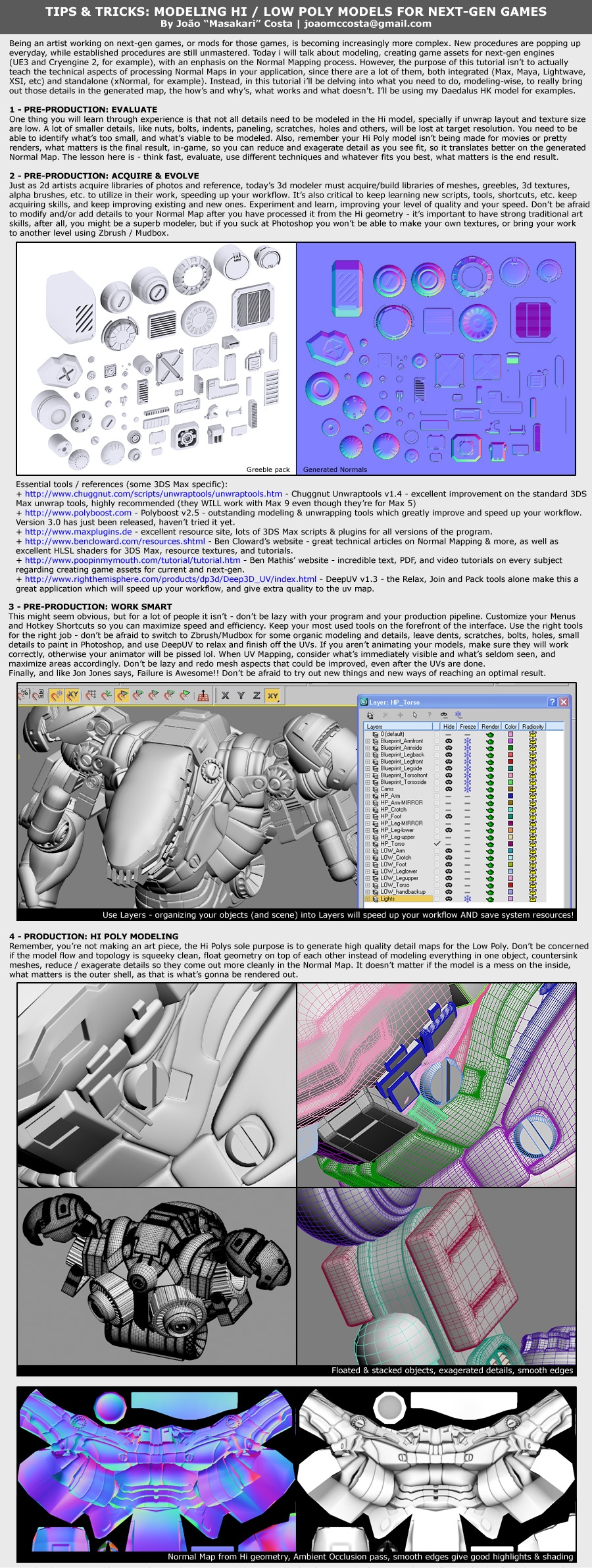
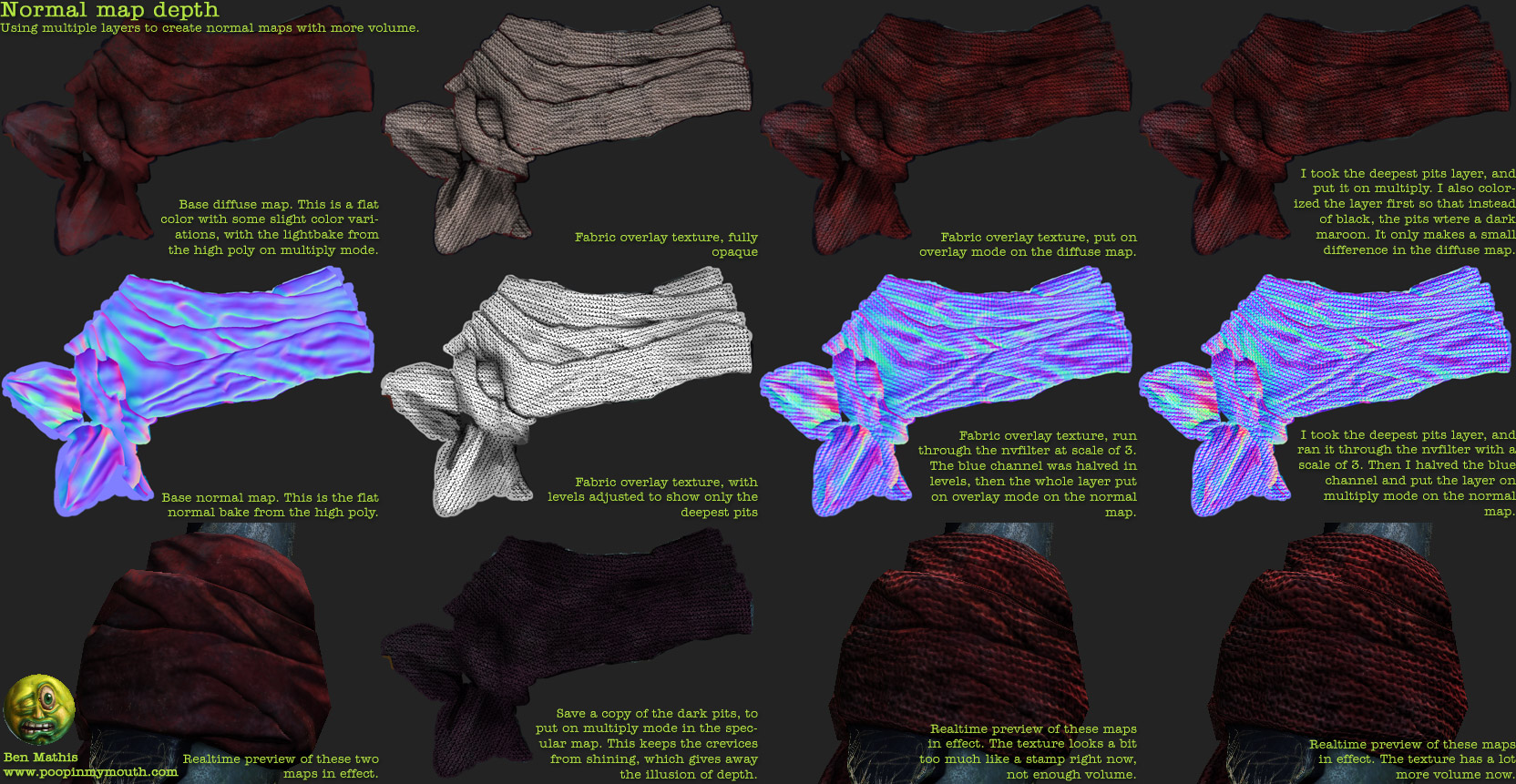
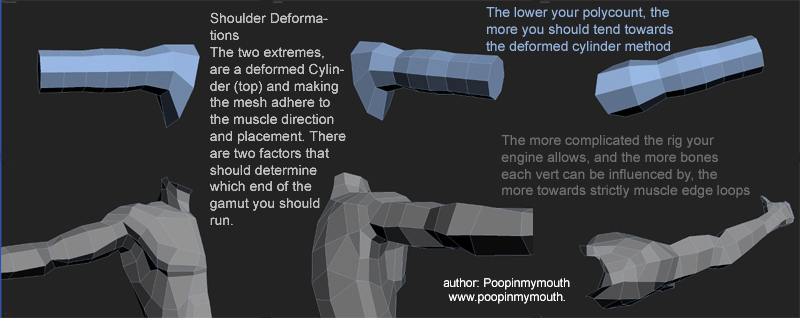
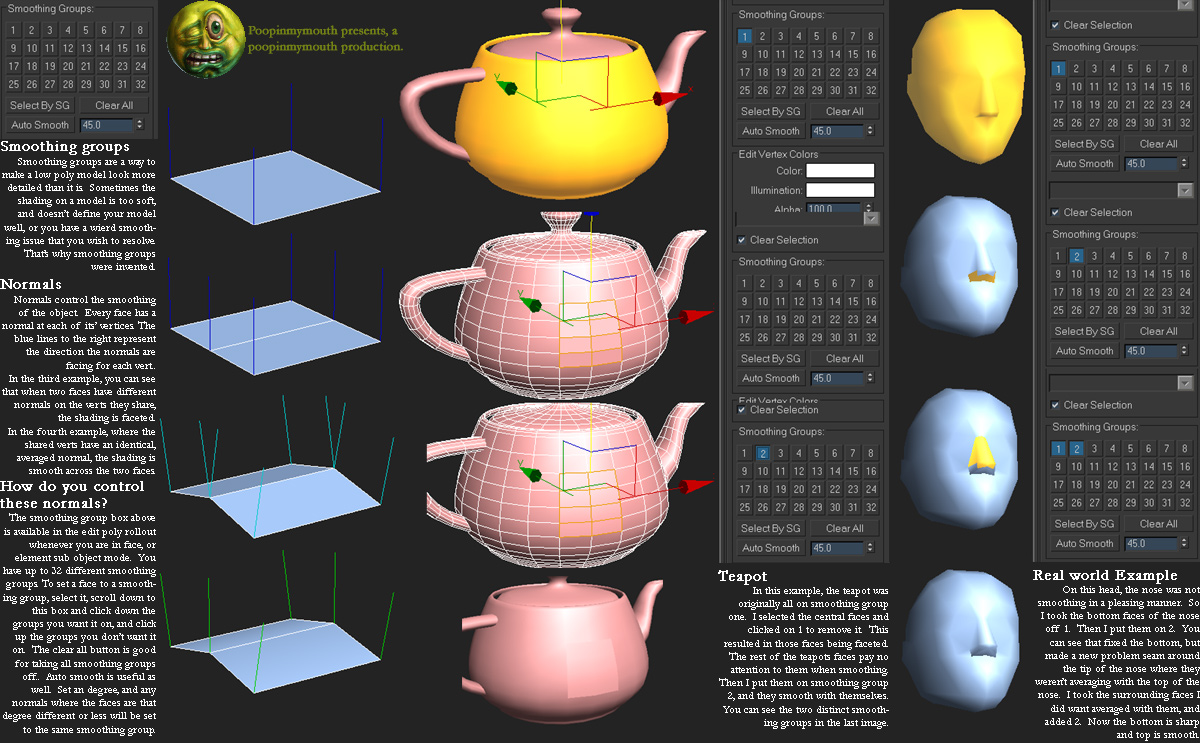
Low poly modeling is an art in itself, trying to get as much detail with as few polys as possible takes some practice, there is no formula for this. You create a low poly model and use techniques such as good UV textures and normal maps to enhance the look of the model in the game engine.

Two great places to start for game asset creation:
http://www.poopinmymouth.com/tutorial/tutorial.htm
http://www.gameartisans.org/gamecon/tutorials/tut_3.htm

Animating for games is pretty much the same as for movies, except that your model has a higher chance of deforming badly and you may not have as much control over your rig. Still the basic concepts of animation will always apply.

Anonymous04/25/25(Fri)16:54:07 No.1011042
14.) "So got any links?" Yep.
Tutorials:
http://www.free3dtutorials.com
http://www.3dbuzz.com/vbforum/sv_home.php
http://www.3dk.org/tutorials/date/15/1.html
http://www.3dtotal.com
http://cg.tutsplus.com/
http://www.creativecow.net/
http://www.videocopilot.net/
http://poopinmymouth.com/
http://www.tutorialized.com/
http://www.creativecrash.com/
http://www.thegnomonworkshop.com/
http://www.digitaltutors.com/09/index.php
http://www.evermotion.org/tutorials
http://www.google.com/

Specific Starter Tutorials:
Modeling
http://www.3dtotal.com/ffa/tutorials/max/joanofarc/joanmenu.php : 3DS Max Character Modeling tutorial
http://www.poopinmymouth.com/tutorial/tutorial.htm : Great introduction to basic game character modeling
http://newtek.com/lightwave/training.php : Free Lightwave 3D training videos

UVMapping and Texturing
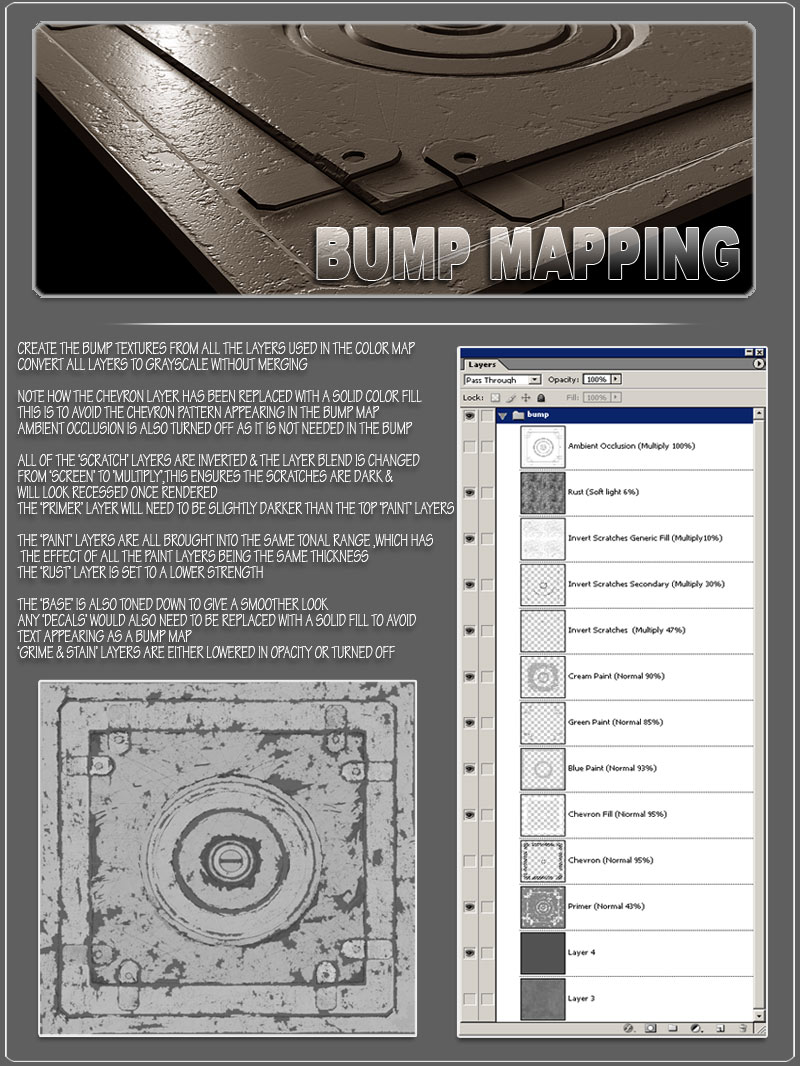
http://racer445.com/ : Intro to texture concepts and normal mapping
http://cgtextures.com/ : Best free texture resource
http://features.cgsociety.org/story_custom.php?story_id=4678 : Introduction to texture concepts
http://www.grungetextures.com/gallery/
http://www.absolutecross.com/graphics/textures/
http://www.psbrushes.net/ : Brushes can be used to create textures
http://www.photoshopbrushes.com/
http://www.smashingapps.com/2009/01/26/31-most-colorful-collection-of-high-quality-texture-packs.html
http://www.creativecrash.com/3dsmax/downloads/shaders/c/
http://www.creativecrash.com/maya/downloads/shaders/c/
http://www.creativecrash.com/downloads/3d-textures/c/
http://cg.tutsplus.com/tutorials/texturing-a-human-face-day-1-the-uvw-unwrap/ : UV Unwrapping in Max
http://download.autodesk.com/media/3dsmax/peltmap_max8_380k.mov : Demo of pelt unwrap feature in Max

Dynamics
http://www.allanmckay.com/site/
http://www.joegunn3d.com/Tutorials.html

Game Character Creation
http://www.noesisinteractive.com/xnabot/
http://www.fpsbanana.com/tuts/8485

Game creation resources
http://www.blender.org/
http://unity3d.com/
http://www.udk.com/download.html
http://www.gamasutra.com/
http://www.gameartisans.org/
Zbrush
http://www.3dartspace.com/index.php?option=com_content&task=view&id=304 Meats Meier Intro to Zbrush, free, informative, highly recommend.
http://cg.tutsplus.com/articles/web-roundups/tutorial-roundup-82-earth-shattering-zbrush-tutorials/

Free Downloads:
Blender 3D:
http://www.blender.org/
Wings3D:
http://www.wings3d.com/
Softimage Mod Tool:
http://usa.autodesk.com/adsk/servlet/pc/item?id=13571257&siteID=123112
Houdini Apprentice:
http://www.sidefx.com/index.php?option=com_download&Itemid=208&task=apprentice

Underageb&s and collegefags who can get discount software
http://www.studica.com/index.cfm
http://www.journeyed.com/

Compositing
http://www.thefoundry.co.uk/pkg_examples.aspx?ui=CBC2593A-2C9F-4EF9-84BE-C198B0171453
http://www.youtube.com/eyeonsoftware
http://www.youtube.com/user/TheFoundryChannel
http://www.videocopilot.net/
http://www.digilab.uni-hannover.de/docs/manual.html
http://www.tutorialsphere.com/tutorials/eyeon-fusion/compositing
http://library.creativecow.net/articles/holt_karl/syntheyes.php : Introduction to Matchmove with Syntheyes.
http://ae.tutsplus.com/articles/roundup/26-tracking-and-3d-matchmoving-plus-after-effects-tutorials/ : 26 great Camera tracking and Matchmove tutorials.

Animation
Free Rigs
http://www.11secondclub.com/resources/
http://animationbuffet.blogspot.com/
http://www.xsibase.com/tools/skeletons.php

MoCap libraries (free and non-free)
http://mocap.cs.cmu.edu/search.php
http://www.mocapclub.com/Pages/Library.htm
http://accad.osu.edu/research/mocap/mocap_data.htm
3D Communities:
http://www.cgsociety.org/
http://www.cgchannel.com/
http://www.cgfocus.com/
http://area.autodesk.com/
http://spinquad.com/
http://www.cgsphere.com/

Job Hunting:
http://www.highendcareers.com/
http://jobs.cgsociety.org/

Vocabulary:
ftp://ftp.futurenet.co.uk/pub/arts/Glossary.pdf

Anonymous04/25/25(Fri)16:58:43 No.1011044
1493151570667
Anonymous04/25/25(Fri)16:58:53 No.1011045
1493151574994
Anonymous04/25/25(Fri)16:59:02 No.1011046
1493151578093
Anonymous04/25/25(Fri)16:59:10 No.1011047
1493151582637
Anonymous04/25/25(Fri)16:59:19 No.1011048
1493151589010
Anonymous04/25/25(Fri)16:59:27 No.1011049
1493151595685
Anonymous04/25/25(Fri)16:59:35 No.1011050
1493151597850
Anonymous04/25/25(Fri)16:59:42 No.1011051
1493151600363
Anonymous04/25/25(Fri)16:59:52 No.1011052
1493151602125
Anonymous04/25/25(Fri)17:00:02 No.1011053
1493151604589
Anonymous04/25/25(Fri)17:00:17 No.1011054
1493151605004
Anonymous04/25/25(Fri)17:00:29 No.1011055
1493151607232
Anonymous04/25/25(Fri)17:00:36 No.1011056
1493151612786
Anonymous04/25/25(Fri)17:00:54 No.1011057
1493151614907
Anonymous04/25/25(Fri)17:01:07 No.1011058
1493151616620
Anonymous04/25/25(Fri)17:01:16 No.1011059
1493151618030
Anonymous04/25/25(Fri)17:01:29 No.1011060
1493151620331
Anonymous04/25/25(Fri)17:01:48 No.1011061
1493151627033
Anonymous04/25/25(Fri)17:02:11 No.1011062
1493151628840
Anonymous04/25/25(Fri)17:02:20 No.1011063
1493151632111
Anonymous04/25/25(Fri)17:02:30 No.1011064
1493151633316
Anonymous04/25/25(Fri)17:02:47 No.1011065
1493151636381
Anonymous04/25/25(Fri)17:03:03 No.1011066
1493151637200
Anonymous04/25/25(Fri)17:03:10 No.1011067
1493151639245
Anonymous04/25/25(Fri)17:03:17 No.1011069
1493151640122
Anonymous04/25/25(Fri)17:04:22 No.1011070
1493151642488
Anonymous04/25/25(Fri)17:04:30 No.1011071
1493151643676
Anonymous04/25/25(Fri)17:04:37 No.1011072
1493151644829
Anonymous04/25/25(Fri)17:04:56 No.1011073
1493151648285
Anonymous04/25/25(Fri)17:05:04 No.1011074
1493151649960
Anonymous04/25/25(Fri)17:05:10 No.1011075
1493151651531
Anonymous04/25/25(Fri)17:05:17 No.1011076
1493151652382
Anonymous04/25/25(Fri)17:06:02 No.1011079
1493151657139
Anonymous04/25/25(Fri)17:06:10 No.1011080
1493151658978
Anonymous04/25/25(Fri)17:06:16 No.1011081
1493151660892
Anonymous04/25/25(Fri)17:06:23 No.1011082
1493151661921
Anonymous04/25/25(Fri)17:06:37 No.1011083
1493151662852
Anonymous04/25/25(Fri)17:06:45 No.1011084
1493151663714
Anonymous04/25/25(Fri)17:07:01 No.1011085
1493151664937
Anonymous04/25/25(Fri)17:07:07 No.1011086
1493151667201
Anonymous04/25/25(Fri)17:07:14 No.1011087
1493151669310
Anonymous04/25/25(Fri)17:07:21 No.1011088
1493151670946
Anonymous04/25/25(Fri)17:07:44 No.1011089
1493151672157
Anonymous04/25/25(Fri)17:07:50 No.1011090
1493151673222
Anonymous04/25/25(Fri)17:07:57 No.1011091
1493151674808
Anonymous04/25/25(Fri)17:08:04 No.1011092
1493151677429
Anonymous04/25/25(Fri)17:08:11 No.1011093
1493151680172
Anonymous04/25/25(Fri)17:08:54 No.1011096
1493151684141
Anonymous04/25/25(Fri)17:09:57 No.1011098
1493151685797
Anonymous04/25/25(Fri)17:10:03 No.1011099
1493151686761
Anonymous04/25/25(Fri)17:10:25 No.1011100
1493151686761
Anonymous04/25/25(Fri)17:10:31 No.1011101
1493151687910
Anonymous04/25/25(Fri)17:10:43 No.1011102
1493151689848
Anonymous04/25/25(Fri)17:10:50 No.1011103
1493151693206
Anonymous04/25/25(Fri)17:10:56 No.1011104
1493151695140
Anonymous04/25/25(Fri)17:11:04 No.1011105
1493151697554
Anonymous04/25/25(Fri)17:11:10 No.1011106
1493151699084
Anonymous04/25/25(Fri)17:11:17 No.1011108
1493151700087