← /3/

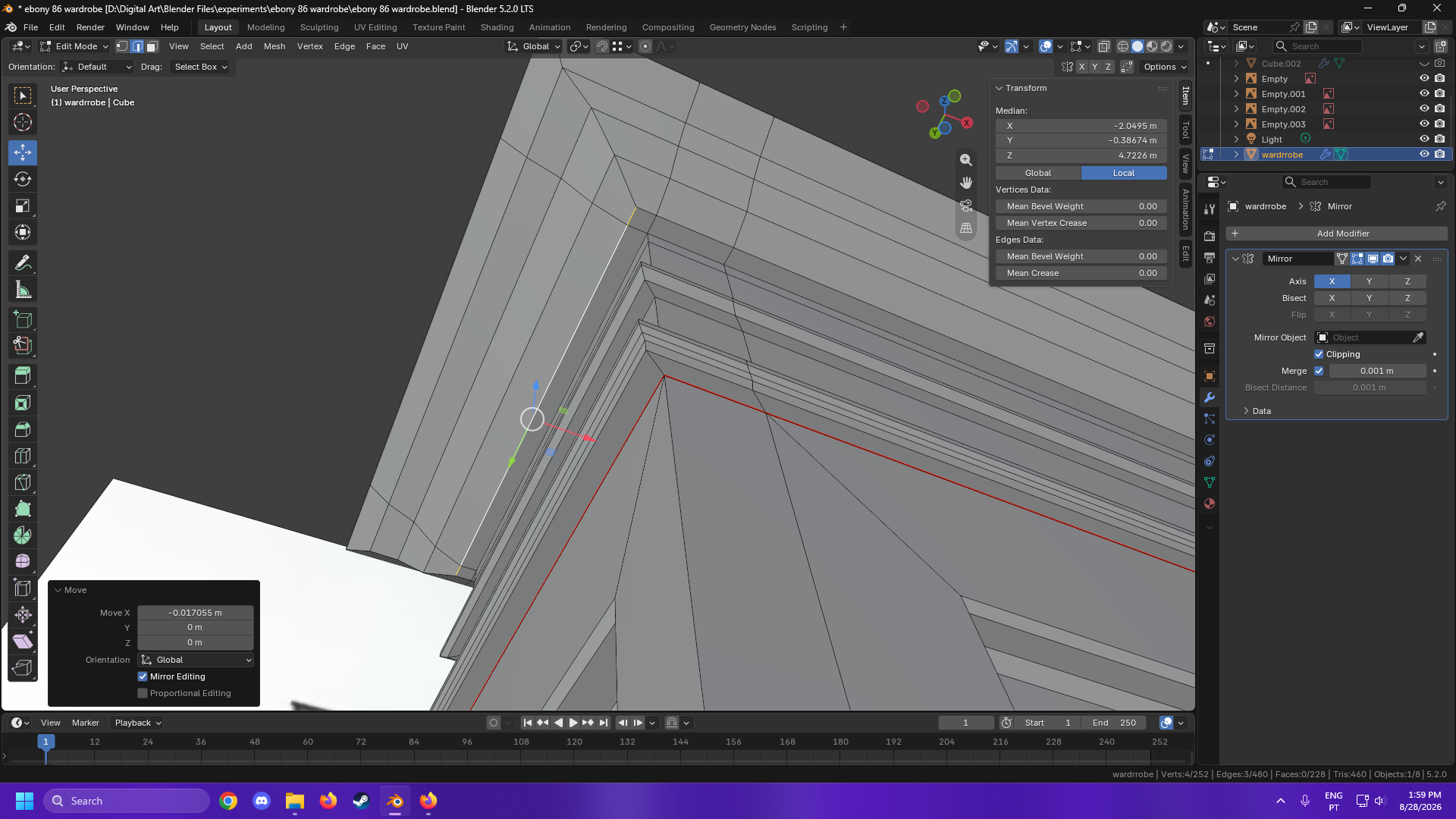
how do u do this wardrobe

New launches split creator fees 50% to the poster and 50% to the launcher. No tripcode is needed to launch; poster claims require verified ownership.

Anonymous08/27/26(Thu)20:53:52 No.1031896
Screenshot (413)
specially the little corners and everything, i cant even do the top area well, any tips on how to proceed plz

Anonymous08/27/26(Thu)21:02:06 No.1031898
>>1031896
Unfortunately, Blender doesn’t offer custom engravings. Better find other tutorials to create the illusion of engraving.
Anonymous08/27/26(Thu)21:04:02 No.1031899
Screenshot (414)
good example, if i try to add these corners and uniform, i cant, extruding and scaling both will not be uniform, even tho i have scale applied.
Anonymous08/28/26(Fri)03:55:13 No.1031907
You can do the top 'easily' by making a ring of faces around the top edge, extruding those faces, scale (not on z), then moving them so they are an even distance from the sides of the wardrobe. Add the bottom edge of the extrusion to a vertex group, then add a bevel with vertex group as the limit method. Raise the number of segments so you have some geometry to work with. Select 'custom' in the profile panel and shape it how you like.
There's a bunch of other ways to do it, of course.
Anonymous08/28/26(Fri)06:09:34 No.1031912
>>1031896
you can always make the cross-section of the trim seperately and join it to the wardrobe mesh later. i dont know if it's optimal but it's how the actual carpenters would have done it
Anonymous08/28/26(Fri)08:47:50 No.1031914
>>1031907
its a bit hard to get from instructions reading since im non native do u have an image plz
Anonymous08/28/26(Fri)09:00:18 No.1031916
Screenshot (416)
>>1031907
i did mine like this, i had to eye ball it sin ce the extrusions and extrude along faces as never uniform for soem reason
Anonymous08/28/26(Fri)14:38:21 No.1031928
Screenshot (422)
>>1031916
marking seams, unsure if good
Anonymous08/28/26(Fri)19:24:42 No.1031932
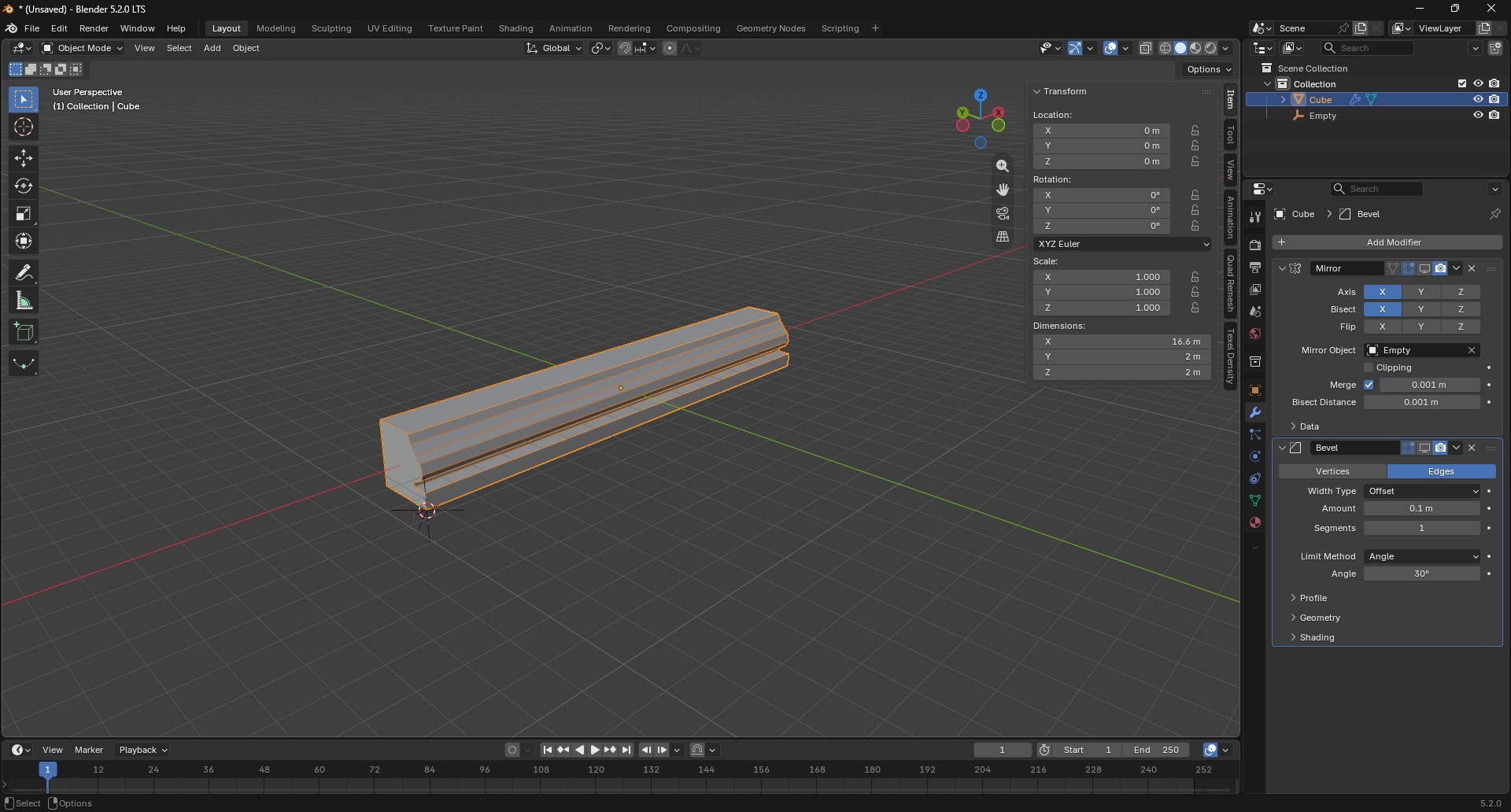
corner
>>1031896
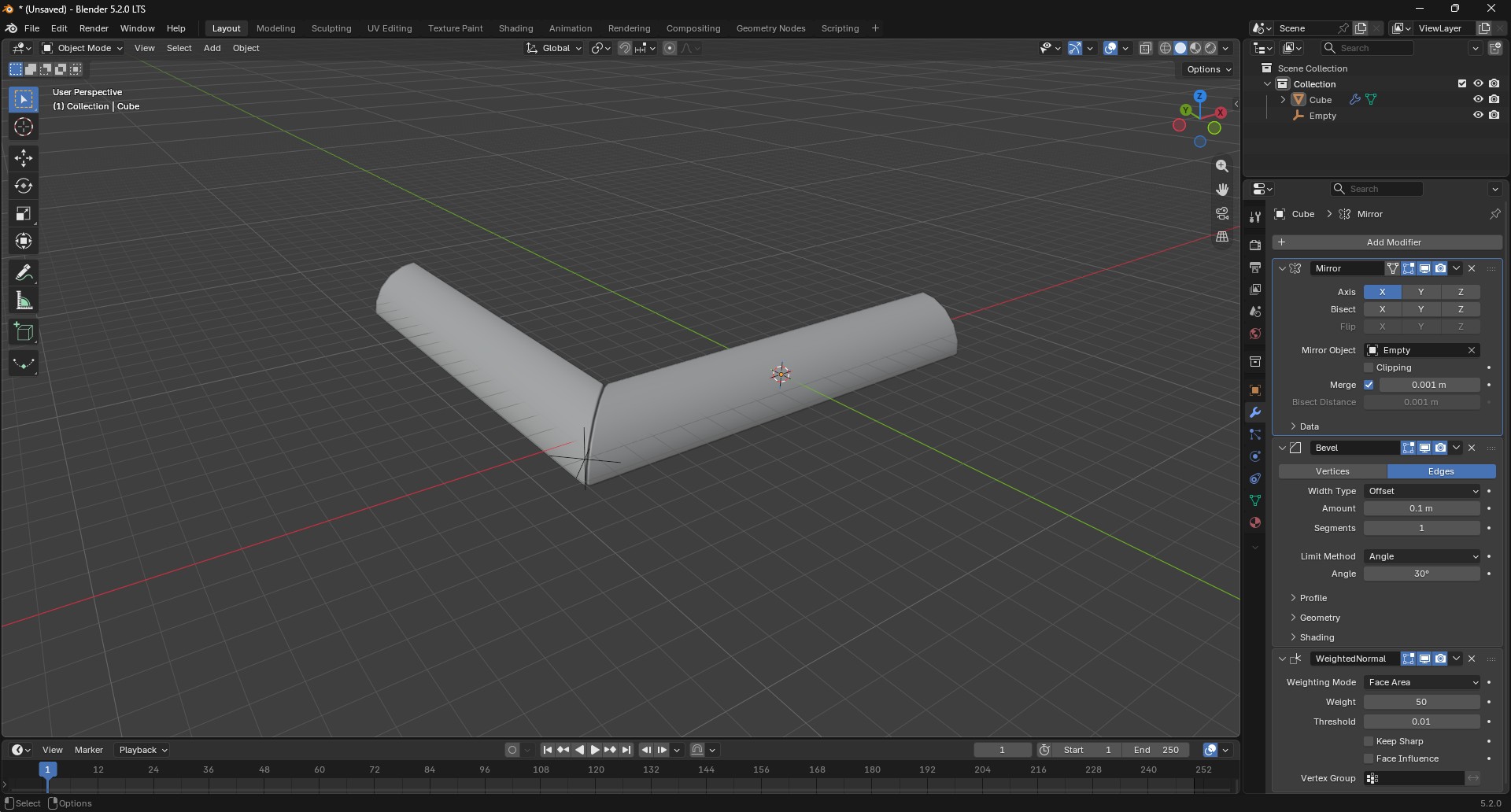
corners are made using a mirror modifier and an empty object, you rotate an empty object by 45 degrees, this makes your mirrored object to also rotate by 45 degrees
Anonymous08/28/26(Fri)19:28:49 No.1031933
just see how it's done by pros here, this method can be emulated with an empty object
https://youtu.be/gaUcEoh_-AQ&t=183
Anonymous08/28/26(Fri)19:34:24 No.1031934
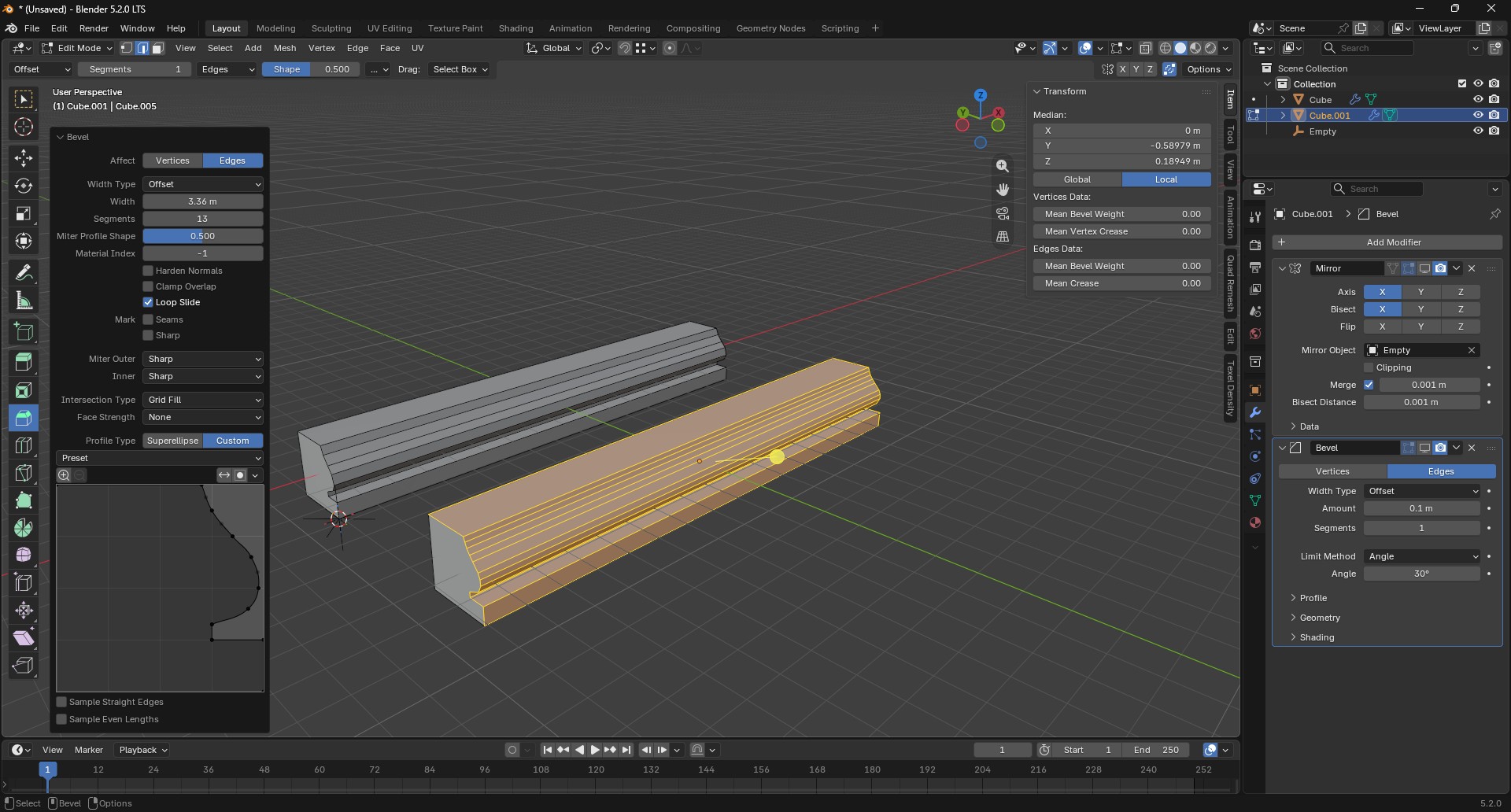
corner2
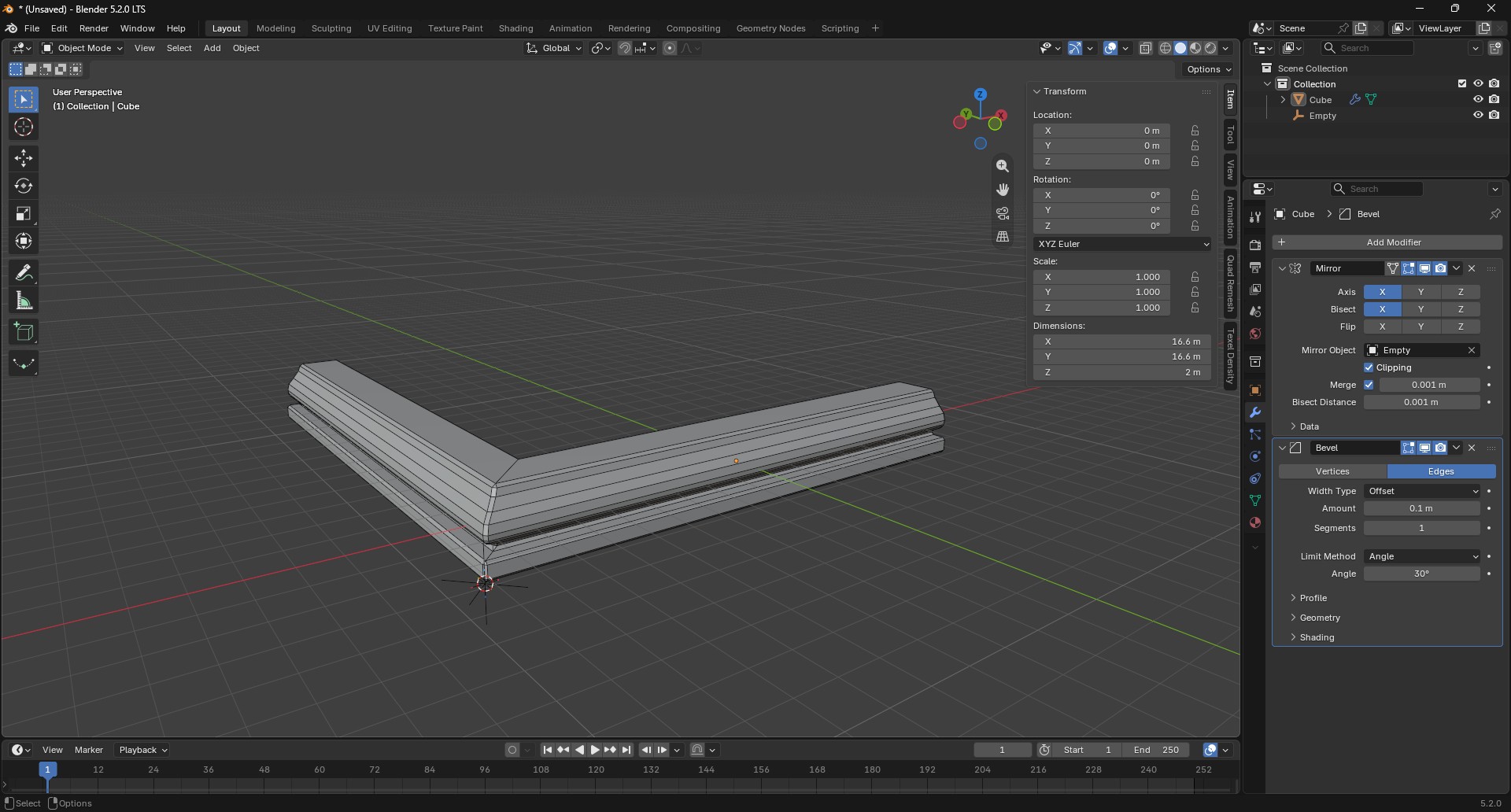
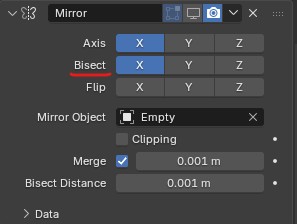
add bisect to get this exact effect
Anonymous08/28/26(Fri)20:30:24 No.1031936
>>1031934
oh u mea cut it with the knife? im not familiar with many tools yet so i had to google it, so i coulda just bisected the shape, then mirror it?
Anonymous08/28/26(Fri)20:31:52 No.1031937
>>1031932
i didnt even think about it, odd cuz i did it for the rest of the body, this is usefull thanks, any more tips or recommended uses for the mirror? thanks
Anonymous08/28/26(Fri)20:34:47 No.1031938
>>1031936
no mirror modifier has a bisect button
Anonymous08/28/26(Fri)20:38:25 No.1031939
Screenshot (427)
>>1031938
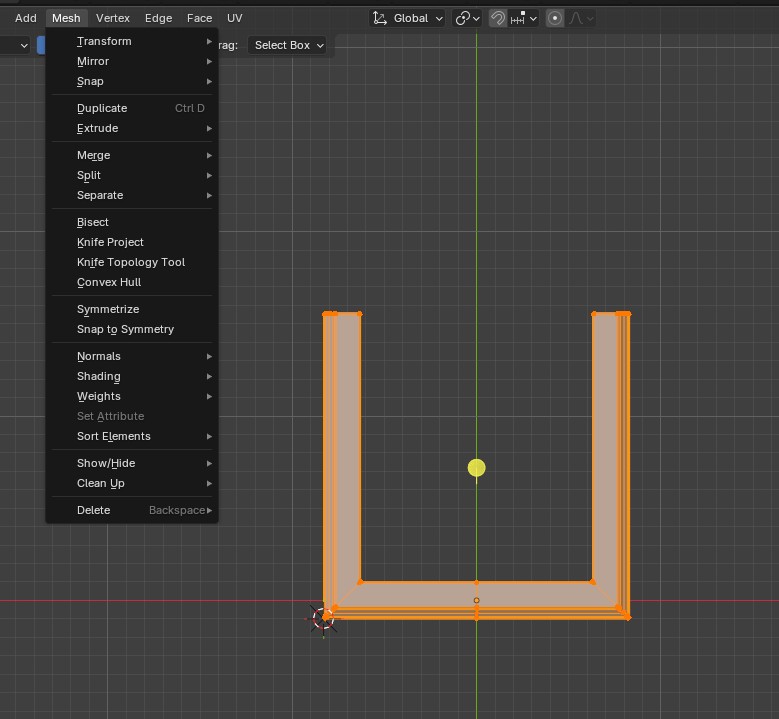
sorry i mean, bisect, then after shape is done, mirror it for all sides?

im trying to learn bisect but its a bit odd, ill have to watch some tutorials, idk how u cuted urs so well, ill experiment tmrww
Anonymous08/28/26(Fri)20:38:43 No.1031940
symmetrize
>>1031937
these are the only ones i know, most of the time you don't even need this mirror tool if you just use a symmetrize tool
Anonymous08/28/26(Fri)20:40:44 No.1031941
>>1031940
i've never heard of that ad idk what iot does either, i have to put it in my watch later list to study, thanks man, so many amazing tools, but little time to dive in
Anonymous08/28/26(Fri)20:40:58 No.1031942
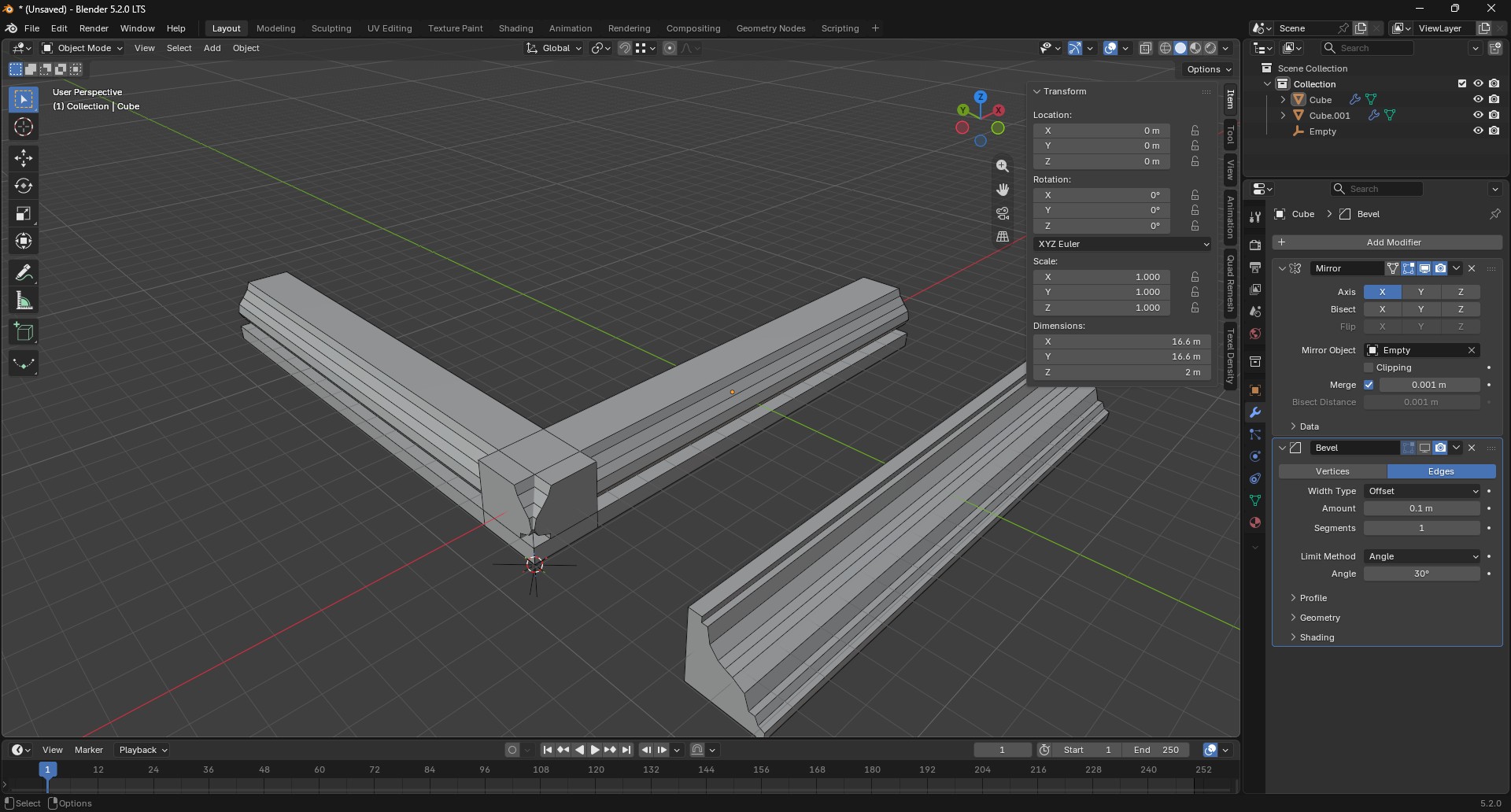
corner3
>>1031939
this is what my mesh looks like without modifiers
Anonymous08/28/26(Fri)20:43:37 No.1031943
>>1031942
yeah im seeing its all parts, its a pretty smart use of modifiers, ill have to use this more, tho with bisect its a bit odd, it doesent cut the knife so im unsure how u shaped the top area, tho it seems im too sleep deprived to understand, cuz it seems like bevel also has the option to make a custom shape bevel, maybe u did that
Anonymous08/28/26(Fri)20:46:15 No.1031944
corner4
>>1031943
yeah i used bevel with custom shapes
Anonymous08/28/26(Fri)20:49:17 No.1031945
>>1031944
then what was the bisect and symetrize used for? im confused
Anonymous08/28/26(Fri)20:52:19 No.1031946
Anonymous08/28/26(Fri)20:53:48 No.1031947
corner6
>>1031945
without bisect
Anonymous08/28/26(Fri)20:55:40 No.1031948
>>1031947
ooh, i see u mean bisect the mirror, not the tool, i see now, thanks allot, genius idea, ure so good man damn, very usefull
Anonymous08/31/26(Mon)10:11:53 No.1032013
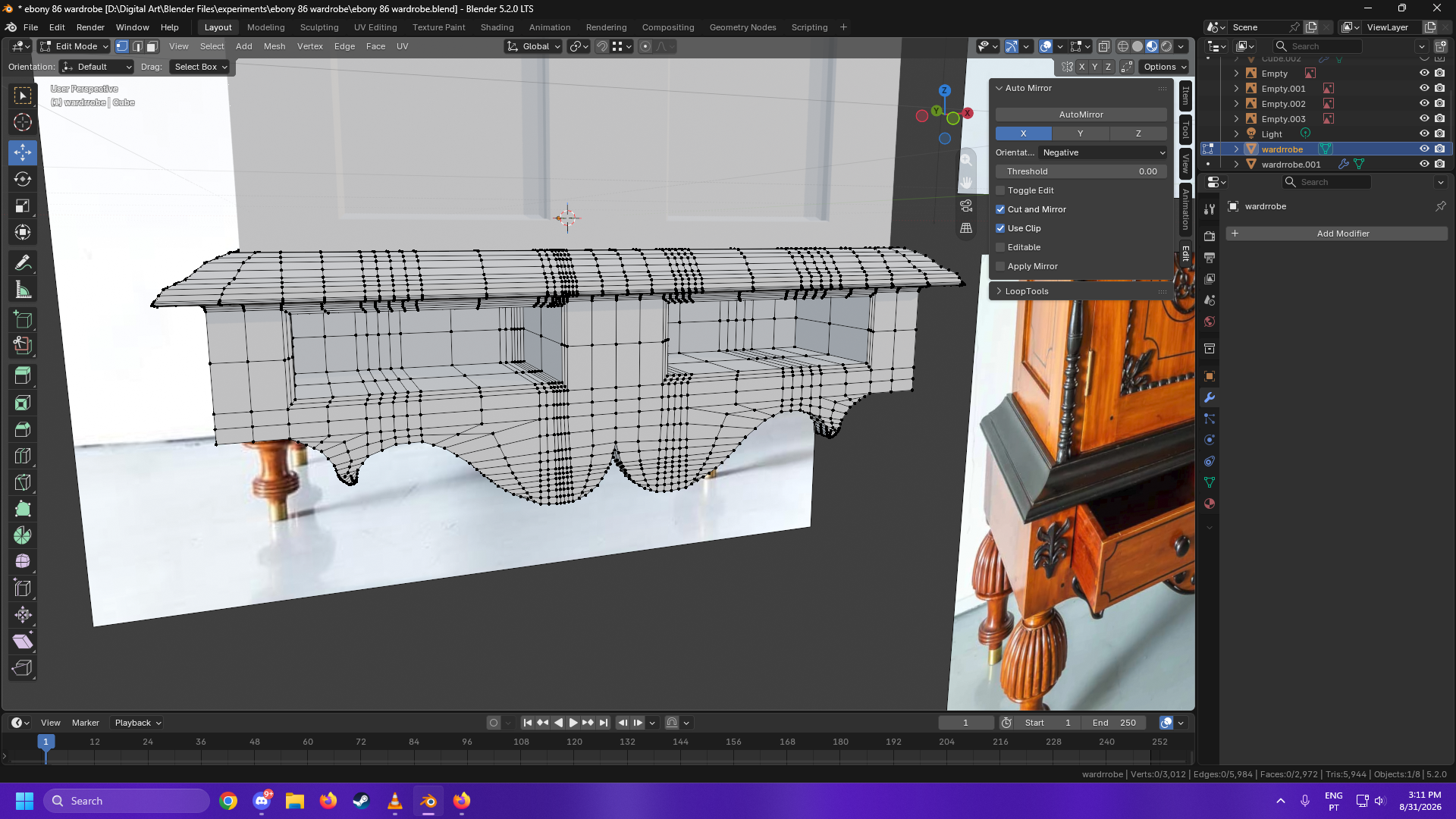
Screenshot (436)
>>1031948
how does topology work lol
Anonymous08/31/26(Mon)11:29:44 No.1032015
Screenshot (444)
>>1031896
update on my janky ass wardrobe
Anonymous08/31/26(Mon)11:55:06 No.1032019
Untitled
>>1031896
idk why evee looks better than cycles for render
Anonymous09/02/26(Wed)21:15:12 No.1032100
Screenshot (458)
>>1031947
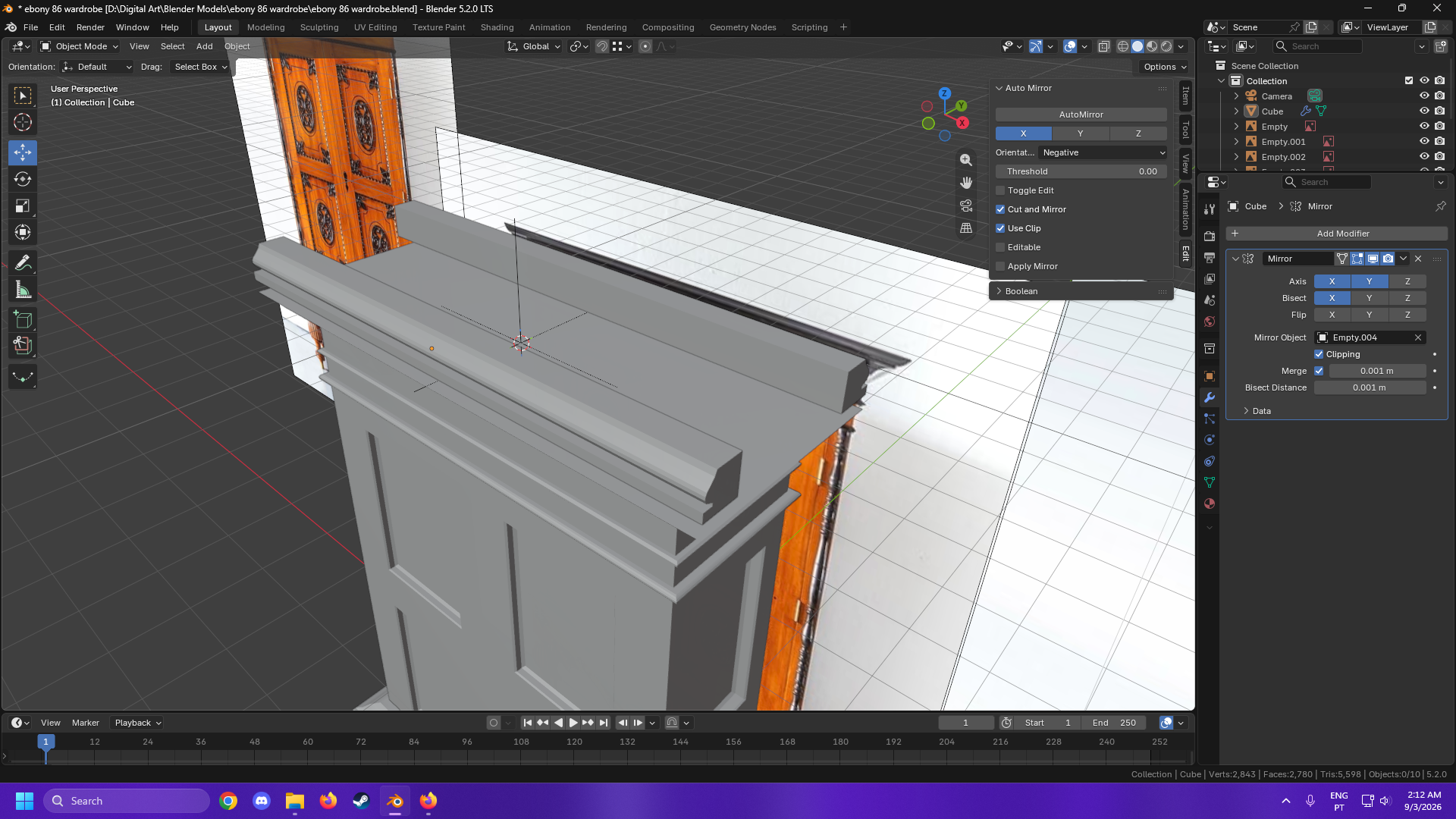
im trying to do what u did with symetrize and mirror but i cant seem to understand how u did it, can u plz elaborate, ive googled it but symetrize doesent do it nor mirror
Anonymous09/03/26(Thu)01:06:25 No.1032109
>>1032100
you need to rotate Empty.004
Anonymous09/05/26(Sat)23:31:59 No.1032221
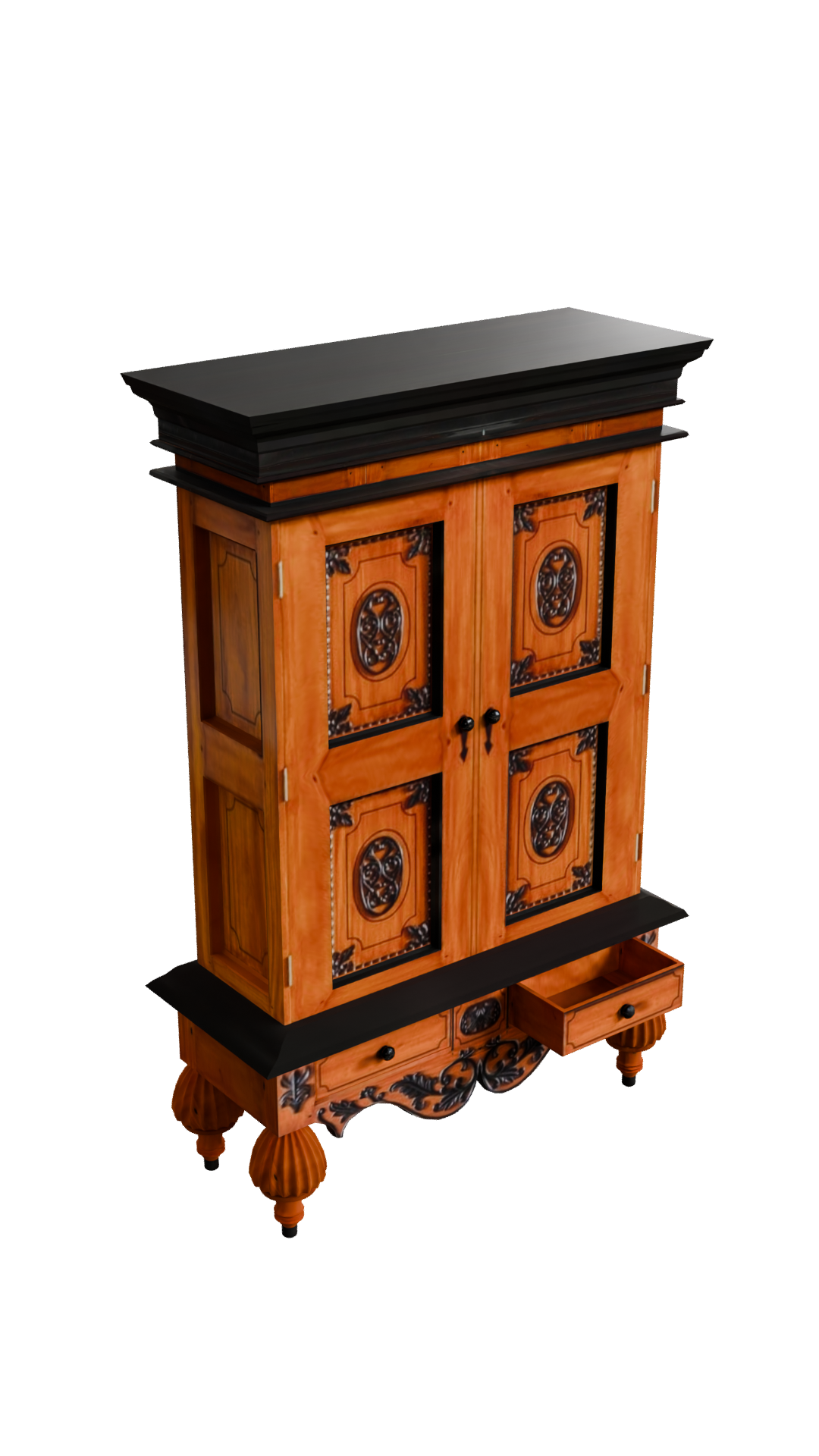
janky wardrobe
>>1032109
the end result
Anonymous09/08/26(Tue)08:30:57 No.1032322
>>1032221
it looks like a crab now
Anonymous09/08/26(Tue)20:09:53 No.1032335
>>1032322
yea idk how to texture, onto the next project ig