← /3/

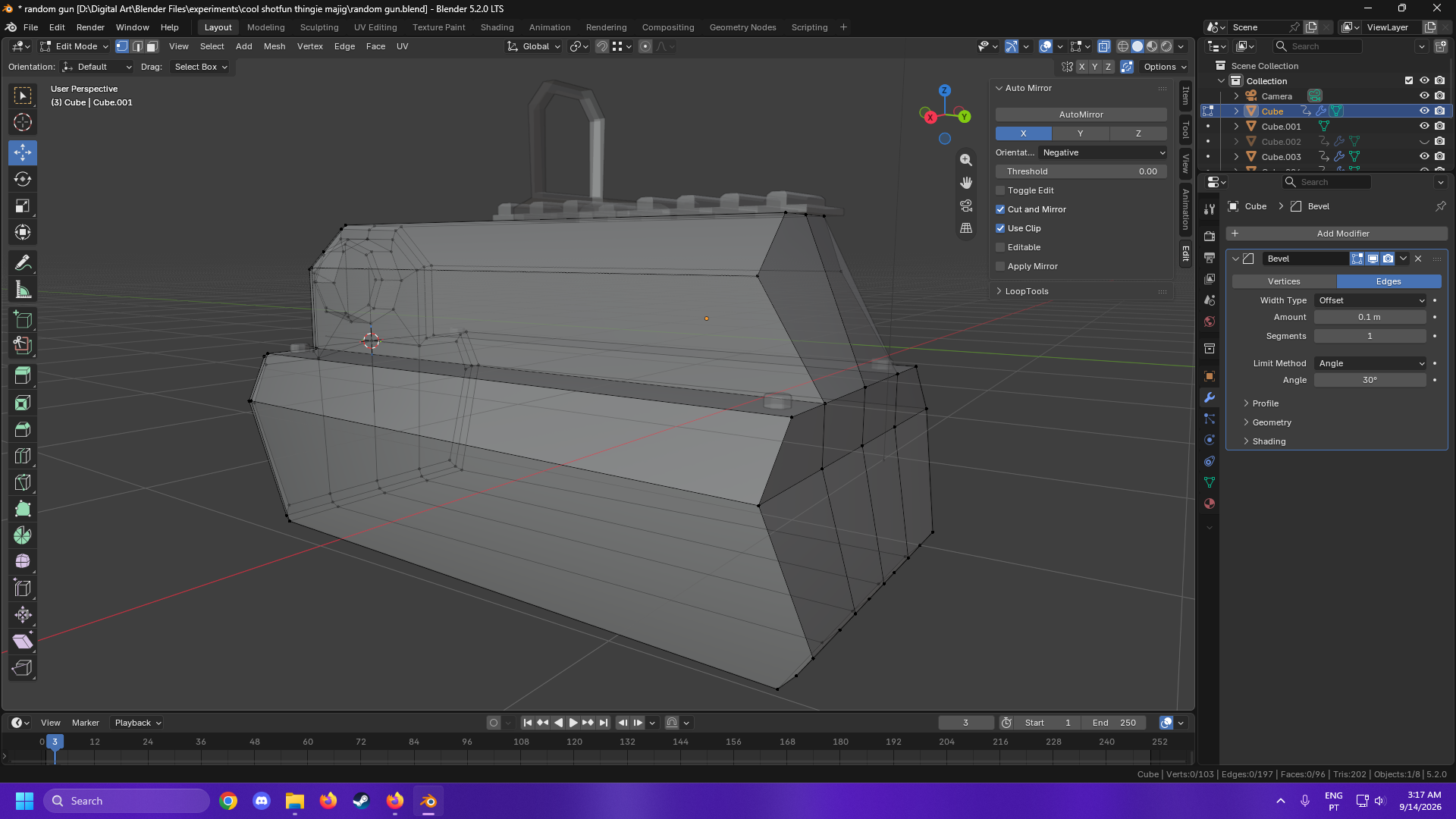
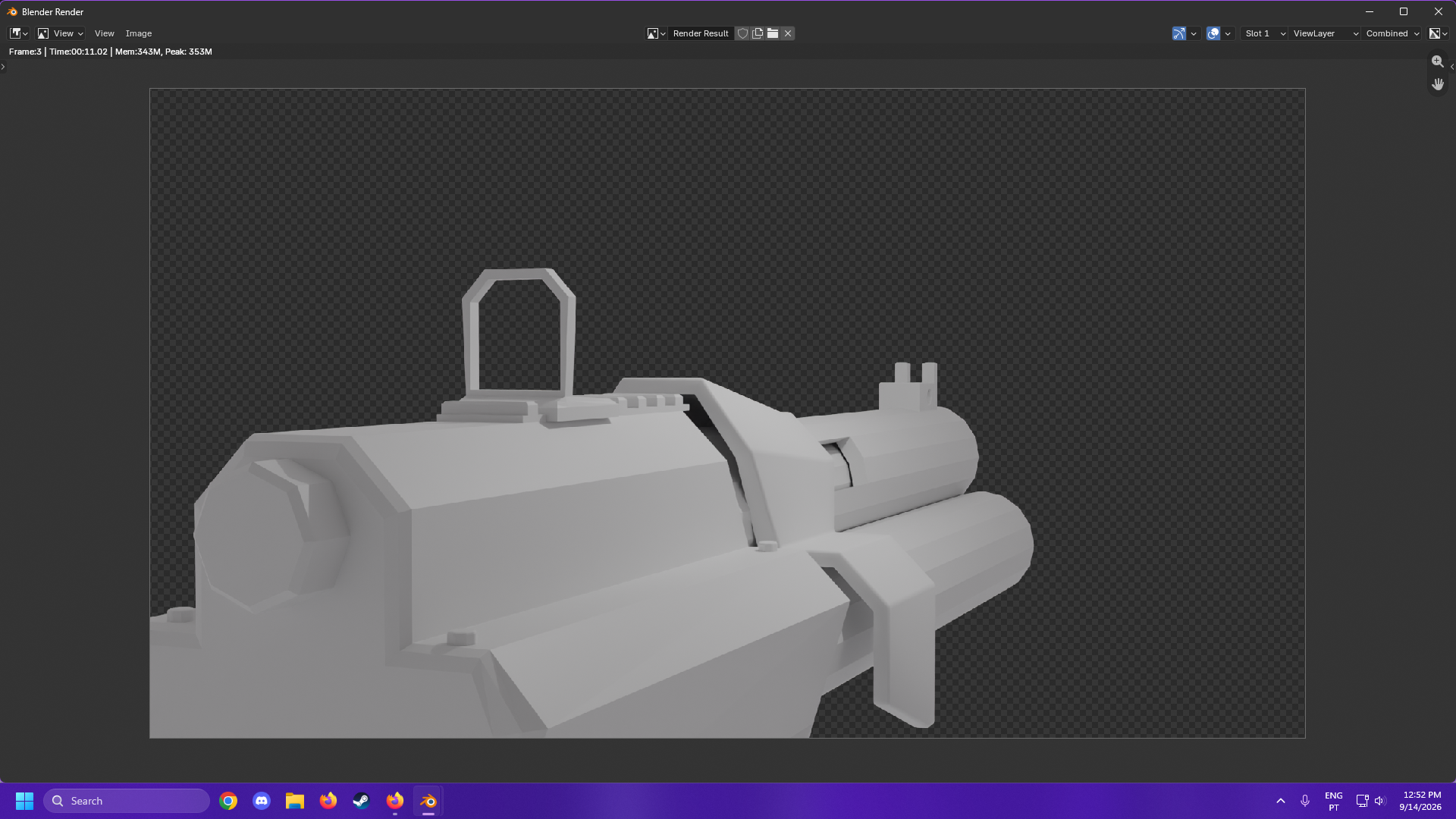
why does my model have a wierd shading issue

New launches split creator fees 50% to the poster and 50% to the launcher. No tripcode is needed to launch; poster claims require verified ownership.

Anonymous09/13/26(Sun)22:18:57 No.1032461
Screenshot (516)
when i render it it has this diagonal line, why is it?

Also please rate the model, its fully og i wanted to mess around with an og design, critique anything u want, or if its bad, ik im not the best.
Anonymous09/13/26(Sun)22:20:17 No.1032462
Screenshot (517)
>>1032461
the z ray mode, its all quads
Anonymous09/13/26(Sun)22:29:36 No.1032463
Anonymous09/13/26(Sun)22:32:01 No.1032464
Anonymous09/13/26(Sun)23:52:31 No.1032465
>>1032461
Check whether the surface is actually flat. You can also try applying a triangulate modifier it with keep normals checked and see if it helps.
Personally with a mesh like that I wouldn't bother with quads and instead go full retard with bools and ngons unless there's a specific reason for it.
Anonymous09/14/26(Mon)01:47:18 No.1032467
>>1032461
It's not a werid haading issue, that shit is just not flat
Anonymous09/14/26(Mon)07:52:32 No.1032474
Screenshot (518)
>>1032465
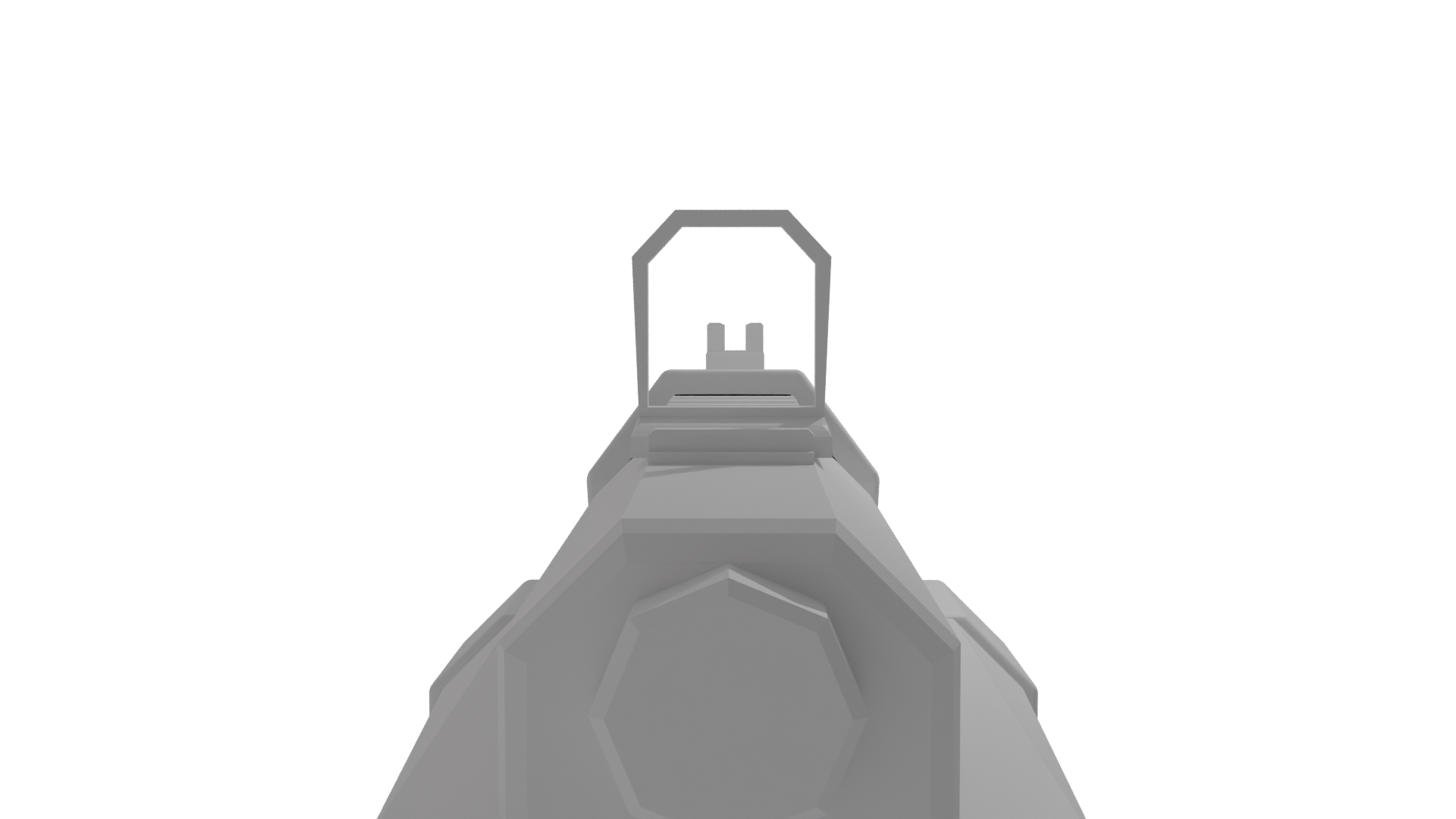
looks like i fixed it by aligning vertex, with snap to vertex mode
Anonymous09/14/26(Mon)09:01:14 No.1032476
>>1032474
Anon, I see you fucked up the face in the back in the process. Pay closer attention kek.
Anonymous09/14/26(Mon)11:22:20 No.1032479
>>1032476
yeah but thats cuz idk how to fix these little inconsistencies, so im gonna continue creating and learning from it, and if some blender god has any tips here ill be gratefull and keep evolving
Anonymous09/14/26(Mon)11:22:55 No.1032480
every quad gets converted into two triangles that quad is skewed somehow